# Load Feedback in Joomla Without an Extension
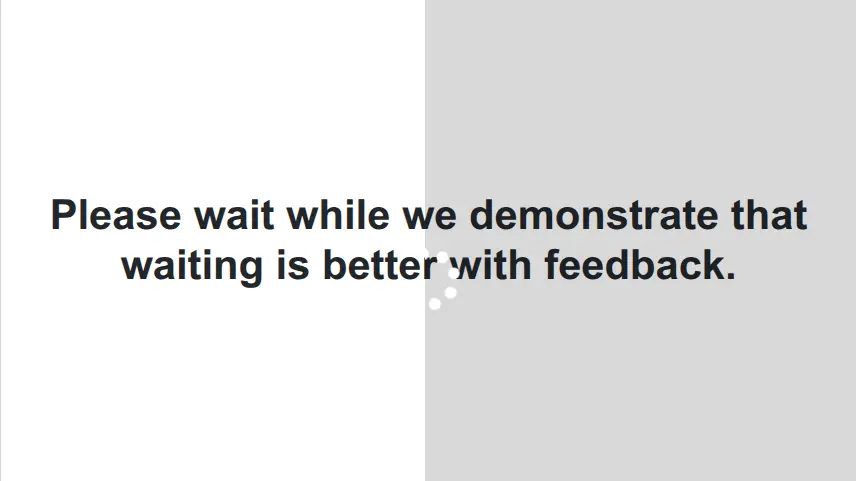 If you've spent any time watching real users interact with a [Joomla](/blog/hosting/cron-vs-joomla-lazy-scheduler-and-webcron "Cron vs Joomla Lazy Scheduler and WebCron") site, you've probably seen it happen. They fill out a form, click submit, and then - nothing. No feedback, no spinner, no progress indicator bar, no indication that anything is happening at all. So they click again. Maybe a third time. By the time the page finally loads they've submitted the form three times, or navigated away in frustration, or simply concluded that your site is broken.
This isn't a Joomla bug. It's a UX gap. Joomla has no native loading indicator for form submissions or page transitions, and most solutions in the [Joomla ecosystem](/blog/development/how-a-bug-report-made-hashcash-smarter "How a Bug Report Made HashCash Smarter") reach for an [extension](/blog/development/canonical-chaos-round-four-victory-in-sight "Canonical Chaos, Round Four: Victory in Sight") to solve it. You don't need one.
What you need is about 100 lines of vanilla JavaScript, a few lines of CSS, and a place to put them.
## The Problem in Plain Terms
When a user clicks a link or submits a form, the browser sends a request and waits for a response. During that wait - which could be milliseconds or several seconds depending on server load, network conditions, and what the page is doing - the user sees nothing change. No feedback. No confirmation that their action registered.
This is a solved problem. Operating systems figured it out decades ago. When your computer is busy, it tells you - Microsoft Windows replaced your cursor with an hourglass, and Apple Mac OS gave you the now-iconic spinning beach ball. Every user who has ever sat in front of a computer understands immediately what these load feedback animations mean: *something is happening, please wait.*
 Apple beach ball load feedback
 Windows spinner load feedback
The web never adopted this convention consistently. Browsers don't automatically show a busy cursor during page loads or form submissions, and most web frameworks - Joomla included - don't add one. The result is a UX gap that's easy to overlook as a developer because you know what's happening behind the scenes. Your users don't.
The solution is equally well-understood: show the user something is happening. It doesn't have to be elaborate. It just has to exist.
## The Approach
We're going to add a CSS class to the `` tag the moment a user clicks a navigable link or submits a form. That class will trigger a busy cursor on desktop, and a blocking overlay on mobile touch devices. When the new page loads - or if the user hits the back button - the class is removed.
No framework. No extension. No dependencies beyond Font Awesome, which you probably already have.
## The CSS
The desktop side of this couldn't be simpler:
```css
body.busy,
body.busy * {
cursor: wait !important;
}
```
The `*` selector with `!important` is essential - without it, elements that define their own cursor styles will override the busy state. This is intentionally kept minimal. [The cursor itself is a browser-native UI element](https://developer.mozilla.org/en-US/docs/Web/CSS/Reference/Properties/cursor "cursor - MDN"), and it already does exactly what you need it to do. The operating system renders it appropriately for the platform - [on Windows it's a spinning circle, on Mac it's the spinning beach ball](https://www.codestudy.net/blog/how-can-i-make-the-cursor-turn-to-the-wait-cursor/ "How to Display a Wait/Busy Cursor in Your Program: Step-by-Step Guide") that every user immediately recognizes as "please wait."
If you want to go further with the cursor - a custom animated GIF, a branded spinner - you can replace `cursor: wait` with `cursor: url(https://cdn.richeyweb.com/your-spinner.gif), wait`. The `wait` fallback ensures something always displays if your custom cursor fails to load. That's a rabbit hole worth exploring on your own, but for most sites the native busy cursor is exactly right.
For mobile we'll handle things differently, which we'll get to shortly.
## The JavaScript
This is where the real work happens. We've packaged everything into a class for easy reuse and clean teardown:
```js
class BusyCursor {
constructor(options = {}) {
this.busyClass = options.busyClass ?? 'busy';
this.minDuration = options.minDuration ?? 0;
this.overlayColor = options.overlayColor ?? 'rgba(0,0,0,0.15)';
this._busyStart = null;
this._overlay = null;
this._isTouchDevice = window.matchMedia('(pointer: coarse)').matches;
this._bound = {
onClick: this._onClick.bind(this),
onSubmit: this._onSubmit.bind(this),
onPageShow: this._onPageShow.bind(this),
onLoad: this._onLoad.bind(this),
};
}
enable() {
if (this._isTouchDevice) this._createOverlay();
document.addEventListener('click', this._bound.onClick, true);
Array.from(document.forms).forEach(form => {
form.addEventListener('submit', this._bound.onSubmit);
});
window.addEventListener('pageshow', this._bound.onPageShow);
window.addEventListener('load', this._bound.onLoad);
return this;
}
disable() {
document.removeEventListener('click', this._bound.onClick, true);
Array.from(document.forms).forEach(form => {
form.removeEventListener('submit', this._bound.onSubmit);
});
window.removeEventListener('pageshow', this._bound.onPageShow);
window.removeEventListener('load', this._bound.onLoad);
this._clearBusy();
if (this._overlay) {
this._overlay.remove();
this._overlay = null;
}
return this;
}
_createOverlay() {
this._overlay = document.createElement('div');
this._overlay.classList.add('busy-overlay');
Object.assign(this._overlay.style, {
display: 'none',
position: 'fixed',
inset: '0',
zIndex: '99999',
background: this.overlayColor,
touchAction: 'none',
});
document.body.appendChild(this._overlay);
}
_setBusy() {
this._busyStart = Date.now();
document.body.classList.add(this.busyClass);
if (this._overlay) this._overlay.style.display = 'block';
}
_clearBusy() {
const elapsed = Date.now() - (this._busyStart ?? 0);
const remaining = this.minDuration - elapsed;
const clear = () => {
document.body.classList.remove(this.busyClass);
if (this._overlay) this._overlay.style.display = 'none';
};
remaining > 0 ? setTimeout(clear, remaining) : clear();
this._busyStart = null;
}
_isNavigableLink(link) {
const href = link.getAttribute('href');
const ignoreStarts = /^(#|javascript:|mailto:|tel:)/;
if (!href || ignoreStarts.test(href)) return false;
if (link.target === '_blank') return false;
if (['modal', 'lightbox'].includes(link.rel)) return false;
if (link.dataset.bsToggle || link.dataset.toggle) return false;
if (link.dataset.bsDismiss || link.dataset.dismiss) return false;
if (link.hasAttribute('download')) return false;
if (link.getAttribute('aria-disabled') === 'true') return false;
const downloadExtensions = /\.(pdf|zip|jpg|jpeg|png|gif|webp|docx|xlsx|mp4|mov|avi|mp3)$/i;
if (downloadExtensions.test(href)) return false;
return true;
}
_onClick(e) {
const link = e.target.closest('a');
if (link) {
if (!this._isNavigableLink(link)) return;
} else {
return;
}
this._setBusy();
}
_onSubmit() {
this._setBusy();
}
_onPageShow(e) {
if (e.persisted) this._clearBusy();
}
_onLoad() {
this._clearBusy();
}
}
window.addEventListener('DOMContentLoaded', () => {
const busyCursor = new BusyCursor({ minDuration: 800 }).enable();
});
```
There's more going on here than it might look like at first glance. Let's walk through the decisions that aren't obvious.
**Why `capture: true` on the click listener?** Joomla and its extensions use JavaScript extensively to intercept clicks - lightboxes, modals, Bootstrap components. Many of these call `stopPropagation()`, which would prevent a normally-attached listener from ever seeing the event. Capture mode listens on the way *down* the DOM tree, before any element-level handlers fire, so we see every click regardless of what other scripts do with it afterward.
**Why bind directly to forms instead of listening for submit on `document`?** Listening for `submit` on `document` is unreliable in Joomla's environment. Binding directly to each form element is explicit and predictable. We enumerate `document.forms` at enable time, which covers all forms present in the DOM when the page finishes loading.
**Why the `_isNavigableLink` exclusion list?** Not every click on an anchor tag causes navigation. Bootstrap toggles, modal triggers, lightbox links, download links, mailto and tel links, and disabled links all need to be excluded. Triggering the busy state on a click that opens a modal - with no subsequent navigation to clear it - would leave the user stuck with a permanent busy cursor. The exclusion list handles all of these cases explicitly.
**Why `pageshow` instead of just `load`?** The `load` event doesn't fire when a user hits the back button and [the browser serves the page from its cache (the bfcache)](https://web.dev/articles/bfcache "Back/forward cache"). `pageshow` fires in both cases, and the `e.persisted` flag tells you which scenario you're in. We handle both - `load` for normal navigation completion and user abort, `pageshow` for bfcache restores.
**The `minDuration` option** exists for cases where your server responds very quickly. A busy indicator that flashes for 50 milliseconds is more jarring than no indicator at all. Setting `minDuration: 800` ensures the busy state displays for at least 800ms, giving the user time to register that something happened.
## Handling Feedback in Mobile
There's no cursor on a touchscreen, so the CSS approach does nothing for mobile users. But mobile users have the same problem - they tap submit and see no feedback, so they tap again.
The solution is a lightweight overlay that appears over the page content during the busy state. It serves two purposes: it gives the user visible feedback, and it physically blocks re-taps by intercepting touch events.
We detect touch devices using the `pointer: coarse` media query rather than user agent sniffing. This is the correct modern approach - it [detects the actual input mechanism](https://www.smashingmagazine.com/2022/03/guide-hover-pointer-media-queries/ "A Guide To Hover And Pointer Media Queries") rather than trying to guess the device from a string that varies across browsers and platforms.
The overlay is only created on touch devices, so desktop users have zero overhead. On touch devices, it appears when `_setBusy()` fires and disappears when `_clearBusy()` runs.
**Adding a spinner with Font Awesome:**
```css
body.busy .busy-overlay::before {
content: '\f3f4'; /* fa-circle-notch /
font-family: 'Font Awesome 6 Free';
font-weight: 900;
position: absolute;
top: 50%;
left: 50%;
/* transform: translate(-50%, -50%); only if you aren't using fa-spin */
margin-left: 1.5rem; /* half of font size - use margin with fa-spin */
margin-top: 1.5rem;
font-size: 3rem;
color: white;
animation: fa-spin 1s infinite linear;
}
```
`fa-circle-notch` is a cleaner single-arc spinner than the classic `fa-spinner`. The `fa-spin` animation is defined in Font Awesome's own stylesheet, so no additional keyframes are needed.
## Implementation
**Option 1: [user.js](/joomla-techniques/build-a-native-login-popup-using-only-core-joomla "Build a Native Login Popup Using Only Core Joomla") and [user.css](/joomla-techniques/build-a-clean-joomla-header-search-popup-in-minutes-for-free "Build a Clean Joomla Header Search Popup in Minutes - For Free")**
Most Joomla templates provide `user.js` and `user.css` files specifically for customizations like this. These files sit outside the template's core files and are not overwritten when you update the template. Add the JavaScript to `user.js` and the CSS to `user.css` and you're done.
If you're not sure whether your template supports these files, check your template's documentation or look for them in `templates/your-template-name/css/user.css` and `templates/your-template-name/js/user.js`. If they don't exist, you can often create them - again, check your template's documentation.
**Option 2: [System - Head Tag](/joomla-techniques/how-to-add-custom-scripts-or-stylesheets-to-a-single-joomla-article-without-losing-your-mind "Add Custom Scripts or Stylesheets to a Joomla Article")**
If your template doesn't offer user files, or you want finer control over where and when the code runs - by access level, menu item, or component - the free [System - Head Tag](/software/joomla/plugins/system-headtag) plugin for Joomla lets you inject CSS and JavaScript into the head of any page with a simple interface. It's a well-established tool in the Joomla community and a useful addition to any developer's toolkit regardless of this particular technique.
## A Note on Scope
This technique handles the most common cases: standard link navigation and traditional form submissions. If your site makes heavy use of AJAX form submissions - where the page doesn't reload after a form is submitted - you'll need to tie the busy state into your AJAX callbacks directly, clearing it in the response handler rather than relying on page load events. That's a natural extension of this approach and worth a follow-up if it applies to your setup.
A small investment of code, no extensions required, and your users will always know something is happening. That's the kind of UX improvement that's easy to overlook and immediately noticeable when it's missing.
- [ email ](mailto:?subject=Load+Feedback+in+Joomla+Without+an+Extension&body=https%3A%2F%2Fwww.richeyweb.com%2Fjoomla-techniques%2Fload-feedback-in-joomla-without-an-extension)
- [ facebook ](https://www.facebook.com/sharer/sharer.php?u=https%3A%2F%2Fwww.richeyweb.com%2Fjoomla-techniques%2Fload-feedback-in-joomla-without-an-extension)
- [ x-twitter ](https://twitter.com/intent/tweet?text=Load+Feedback+in+Joomla+Without+an+Extension%3A+https%3A%2F%2Fwww.richeyweb.com%2Fjoomla-techniques%2Fload-feedback-in-joomla-without-an-extension)
- [ linkedin ](http://www.linkedin.com/shareArticle?mini=true&url=https%3A%2F%2Fwww.richeyweb.com%2Fjoomla-techniques%2Fload-feedback-in-joomla-without-an-extension&title=Load+Feedback+in+Joomla+Without+an+Extension&summary=If+you%27ve+spent+any+time+watching+real+users+inter...)
- [ pinterest ](http://pinterest.com/pin/create/button/?url=https%3A%2F%2Fwww.richeyweb.com%2Fjoomla-techniques%2Fload-feedback-in-joomla-without-an-extension&media=https%3A%2F%2Fwww.richeyweb.com%2Fimages%2Farticles%2Fload-feedback-in-joomla-without-an-extension%2Fbeachball.avif&description=Load+Feedback+in+Joomla+Without+an+Extension)
[ Previous article: Insert Anything Into Your Joomla Articles Insert Anything Into Your Joomla Articles ](/joomla-techniques/insert-anything-into-your-joomla-articles) [ Next article: Build a Clean Joomla Header Search Popup in Minutes - For Free Build a Clean Joomla Header Search Popup in Minutes - For Free ](/joomla-techniques/build-a-clean-joomla-header-search-popup-in-minutes-for-free)
##### We Value Your Privacy
We use cookies to enhance your experience and for traffic analysis. By continuing to visit this site you agree to our use of cookies.
[Privacy Policy](/privacy-policy)
Details
###### Google Tag Manager Items
- Ad Storage
- Ad User Data
- Ad Personalization
- Analytics Storage
- Functionality Storage
- Personalization Storage
- Security Storage
Decline Accept
```json
{"@context":"https://schema.org","@graph":[{"@type":"Organization","@id":"https://www.richeyweb.com/#organization","name":"RicheyWeb","url":"https://www.richeyweb.com/","logo":{"@type":"ImageObject","url":"https://www.richeyweb.com/images/logo/richeyweb.svg","contentUrl":"https://www.richeyweb.com/images/logo/richeyweb.svg","width":{"@type":"QuantitativeValue","value":38,"unitCode":"PX"},"height":{"@type":"QuantitativeValue","value":38,"unitCode":"PX"},"@id":"https://www.richeyweb.com/#logo"},"image":{"@id":"https://www.richeyweb.com/#logo"},"sameAs":["https://x.com/ComRicheyweb","https://www.facebook.com/RicheyWebDev/","https://www.youtube.com/channel/UCxnVG8BwOvQRO7hVqNX7T2g","https://community.joomla.org/service-providers-directory/listings/115:richeyweb.html"],"description":"RicheyWeb is a custom software developer specializing in Joomla extensions.","ContactPoint":[{"@type":"ContactPoint","url":"https://www.richeyweb.com/contact-us","telephone":"903-873-8460","contactType":"Owner/Administrator","areaServed":["United States",{"@type":"Country","name":"United States","sameAs":["https://en.wikipedia.org/wiki/United_States","https://www.wikidata.org/wiki/Q30","https://g.co/kg/m/09c7w0"]},"European Union",{"@type":"AdministrativeArea","name":"European Union","sameAs":["https://en.wikipedia.org/wiki/European_Union","https://www.wikidata.org/wiki/Q458","https://g.co/kg/m/0_6t_z8"]},"United Kingdom",{"@type":"Country","name":"United Kingdom","sameAs":["https://en.wikipedia.org/wiki/United_Kingdom","https://www.wikidata.org/wiki/Q145","https://g.co/kg/m/07ssc"]},"Australia",{"@type":"Country","name":"Australia","sameAs":["https://en.wikipedia.org/wiki/Australia","https://www.wikidata.org/wiki/Q408","https://g.co/kg/m/0chghy"]},"Canada",{"@type":"Country","name":"Canada","sameAs":["https://en.wikipedia.org/wiki/Canada","https://www.wikidata.org/wiki/Q16","https://g.co/kg/m/0d060g"]},"Russia",{"@type":"Country","name":"Russia","sameAs":["https://en.wikipedia.org/wiki/Russia","https://www.wikidata.org/wiki/Q159","https://g.co/kg/m/06bnz"]},"China",{"@type":"Country","name":"China","sameAs":["https://en.wikipedia.org/wiki/China","https://www.wikidata.org/wiki/Q148","https://g.co/kg/m/0d05w3"]}],"availableLanguage":"en"},{"@type":"ContactPoint","url":"https://www.richeyweb.com/bugs","telephone":"903-873-8460","contactType":"Technical Support","areaServed":["United States",{"@type":"Country","name":"United States","sameAs":["https://en.wikipedia.org/wiki/United_States","https://www.wikidata.org/wiki/Q30","https://g.co/kg/m/09c7w0"]},"European Union",{"@type":"AdministrativeArea","name":"European Union","sameAs":["https://en.wikipedia.org/wiki/European_Union","https://www.wikidata.org/wiki/Q458","https://g.co/kg/m/0_6t_z8"]},"United Kingdom",{"@type":"Country","name":"United Kingdom","sameAs":["https://en.wikipedia.org/wiki/United_Kingdom","https://www.wikidata.org/wiki/Q145","https://g.co/kg/m/07ssc"]},"Australia",{"@type":"Country","name":"Australia","sameAs":["https://en.wikipedia.org/wiki/Australia","https://www.wikidata.org/wiki/Q408","https://g.co/kg/m/0chghy"]},"Canada",{"@type":"Country","name":"Canada","sameAs":["https://en.wikipedia.org/wiki/Canada","https://www.wikidata.org/wiki/Q16","https://g.co/kg/m/0d060g"]},"Russia",{"@type":"Country","name":"Russia","sameAs":["https://en.wikipedia.org/wiki/Russia","https://www.wikidata.org/wiki/Q159","https://g.co/kg/m/06bnz"]},"China",{"@type":"Country","name":"China","sameAs":["https://en.wikipedia.org/wiki/China","https://www.wikidata.org/wiki/Q148","https://g.co/kg/m/0d05w3"]}],"availableLanguage":"en"}],"knowsAbout":["Computer programming",{"@type":"Thing","name":"Computer programming","sameAs":["https://en.wikipedia.org/wiki/Computer_programming","https://www.wikidata.org/wiki/Q80006","https://g.co/kg/m/01mf_"]},"PHP",{"@type":"Thing","name":"PHP","sameAs":["https://en.wikipedia.org/wiki/PHP","https://www.wikidata.org/wiki/Q59","https://g.co/kg/m/060kv"]},"JavaScript",{"@type":"Thing","name":"JavaScript","sameAs":["https://en.wikipedia.org/wiki/JavaScript","https://www.wikidata.org/wiki/Q2005","https://g.co/kg/m/02p97"]},"arduino","Computer forensics",{"@type":"Thing","name":"Computer forensics","sameAs":["https://en.wikipedia.org/wiki/Computer_forensics","https://www.wikidata.org/wiki/Q878553","https://g.co/kg/m/02wxbd"]},"White hat",{"@type":"Thing","name":"White hat","sameAs":["https://en.wikipedia.org/wiki/White_hat_(computer_security)","https://www.wikidata.org/wiki/Q7995625","https://g.co/kg/m/03ns_5"]},"Search engine optimization",{"@type":"Thing","name":"Search engine optimization","sameAs":["https://en.wikipedia.org/wiki/Search_engine_optimization","https://www.wikidata.org/wiki/Q180711","https://g.co/kg/m/019qb_"]},"Search engine marketing",{"@type":"Thing","name":"Search engine marketing","sameAs":["https://en.wikipedia.org/wiki/Search_engine_marketing","https://www.wikidata.org/wiki/Q846132","https://g.co/kg/m/06mw8r"]},"Digital marketing",{"@type":"Thing","name":"Digital marketing","sameAs":["https://en.wikipedia.org/wiki/Digital_marketing","https://www.wikidata.org/wiki/Q1323528","https://g.co/kg/g/122hcnps"]},"Web hosting service",{"@type":"Thing","name":"Web hosting service","sameAs":["https://en.wikipedia.org/wiki/Web_hosting_service","https://www.wikidata.org/wiki/Q5892272","https://g.co/kg/m/014pz4"]},"Email hosting service",{"@type":"Thing","name":"Email hosting service","sameAs":["https://en.wikipedia.org/wiki/Email_hosting_service","https://www.wikidata.org/wiki/Q5368818","https://g.co/kg/m/09w60m"]},"Internet hosting service",{"@type":"Thing","name":"Internet hosting service","sameAs":["https://en.wikipedia.org/wiki/Internet_hosting_service","https://www.wikidata.org/wiki/Q1210425","https://g.co/kg/m/09w5yw"]},"Virtual hosting",{"@type":"Thing","name":"Virtual hosting","sameAs":["https://en.wikipedia.org/wiki/Virtual_hosting","https://www.wikidata.org/wiki/Q588365","https://g.co/kg/m/024mvh"]},"Web performance",{"@type":"Thing","name":"Web performance","sameAs":["https://en.wikipedia.org/wiki/Web_performance","https://www.wikidata.org/wiki/Q7978612","https://g.co/kg/m/0gfj3f1"]},"Web content management system",{"@type":"Thing","name":"Web content management system","sameAs":["https://en.wikipedia.org/wiki/Web_content_management_system","https://www.wikidata.org/wiki/Q45211","https://g.co/kg/m/0615s2"]},"Content management system",{"@type":"Thing","name":"Content management system","sameAs":["https://en.wikipedia.org/wiki/Content_management_system","https://www.wikidata.org/wiki/Q131093","https://g.co/kg/m/0k23c"]},"General Data Protection Regulation",{"@type":"Thing","name":"General Data Protection Regulation","sameAs":["https://en.wikipedia.org/wiki/General_Data_Protection_Regulation","https://www.wikidata.org/wiki/Q1172506","https://g.co/kg/m/0pk_7xs"]},"SERP",{"@type":"Thing","name":"SERP","sameAs":["https://en.wikipedia.org/wiki/SERP","https://www.wikidata.org/wiki/Q2205811","https://g.co/kg/g/11c5szp7kc"]},"Artificial intelligence",{"@type":"Thing","name":"Artificial intelligence","sameAs":["https://en.wikipedia.org/wiki/Artificial_intelligence","https://www.wikidata.org/wiki/Q11660","https://g.co/kg/m/0mkz"]},"Prompt engineering",{"@type":"Thing","name":"Prompt engineering","sameAs":["https://en.wikipedia.org/wiki/Prompt_engineering","https://www.wikidata.org/wiki/Q108941486","https://g.co/kg/g/11p6kpgt_n"]},"E-learning",{"@type":"Thing","name":"E-learning","sameAs":["https://en.wikipedia.org/wiki/E-learning_(theory)","https://www.wikidata.org/wiki/Q182250","https://g.co/kg/g/122czm1f"]},"Sharable Content Object Reference Model",{"@type":"Thing","name":"Sharable Content Object Reference Model","sameAs":["https://en.wikipedia.org/wiki/Sharable_Content_Object_Reference_Model","https://www.wikidata.org/wiki/Q827811","https://g.co/kg/m/06_40"]},"Experience API",{"@type":"Thing","name":"Experience API","sameAs":["https://en.wikipedia.org/wiki/Experience_API","https://www.wikidata.org/wiki/Q7807728","https://g.co/kg/g/1yw9ktxr8"]},"Joomla",{"@type":"Thing","name":"Joomla","sameAs":["https://en.wikipedia.org/wiki/Joomla","https://www.wikidata.org/wiki/Q13167","https://g.co/kg/m/07qb81"]},"Nginx",{"@type":"Thing","name":"Nginx","sameAs":["https://en.wikipedia.org/wiki/Nginx","https://www.wikidata.org/wiki/Q306144","https://g.co/kg/m/02qft91"]},"MySQL",{"@type":"Thing","name":"MySQL","sameAs":["https://en.wikipedia.org/wiki/MySQL","https://www.wikidata.org/wiki/Q850","https://g.co/kg/m/04y3k"]}],"areaServed":["United States",{"@type":"Country","name":"United States","sameAs":["https://en.wikipedia.org/wiki/United_States","https://www.wikidata.org/wiki/Q30","https://g.co/kg/m/09c7w0"]},"European Union",{"@type":"AdministrativeArea","name":"European Union","sameAs":["https://en.wikipedia.org/wiki/European_Union","https://www.wikidata.org/wiki/Q458","https://g.co/kg/m/0_6t_z8"]},"United Kingdom",{"@type":"Country","name":"United Kingdom","sameAs":["https://en.wikipedia.org/wiki/United_Kingdom","https://www.wikidata.org/wiki/Q145","https://g.co/kg/m/07ssc"]},"Australia",{"@type":"Country","name":"Australia","sameAs":["https://en.wikipedia.org/wiki/Australia","https://www.wikidata.org/wiki/Q408","https://g.co/kg/m/0chghy"]},"Canada",{"@type":"Country","name":"Canada","sameAs":["https://en.wikipedia.org/wiki/Canada","https://www.wikidata.org/wiki/Q16","https://g.co/kg/m/0d060g"]},"Russia",{"@type":"Country","name":"Russia","sameAs":["https://en.wikipedia.org/wiki/Russia","https://www.wikidata.org/wiki/Q159","https://g.co/kg/m/06bnz"]},"China",{"@type":"Country","name":"China","sameAs":["https://en.wikipedia.org/wiki/China","https://www.wikidata.org/wiki/Q148","https://g.co/kg/m/0d05w3"]}],"memberOf":["Mensa International",{"@type":"Organization","name":"Mensa International","sameAs":["https://en.wikipedia.org/wiki/Mensa_International","https://www.wikidata.org/wiki/Q184194","https://g.co/kg/m/0140pf"]},"National Rifle Association",{"@type":"Organization","name":"National Rifle Association","sameAs":["https://en.wikipedia.org/wiki/National_Rifle_Association","https://www.wikidata.org/wiki/Q863259","https://g.co/kg/m/0j6f9"]},"CompTIA",{"@type":"Organization","name":"CompTIA","sameAs":["https://en.wikipedia.org/wiki/CompTIA","https://www.wikidata.org/wiki/Q597534","https://g.co/kg/m/040shq"]},"ISFCE LLC",{"@type":"Organization","name":"ISFCE LLC","sameAs":["https://isfce.com","https://g.co/kg/g/11wxm5r0rg"]}],"hasCredential":[{"@type":"EducationalOccupationalCredential","name":"Joomla 3 Certified Administrator","credentialCategory":"Certification","description":"Administrator Exam is the first available Joomla! certification exam","recognizedBy":{"@type":"Organization","name":"Open Source Matters, Inc.","sameAs":["https://en.wikipedia.org/wiki/Open_Source_Matters,_Inc.","https://g.co/kg/g/11f00wvjhz"]},"url":"https://certification.joomla.org/certified-user-directory/michael-richey","about":["Content management system",{"@type":"Thing","name":"Content management system","sameAs":["https://en.wikipedia.org/wiki/Content_management_system","https://www.wikidata.org/wiki/Q131093","https://g.co/kg/m/0k23c"]},"Web content management system",{"@type":"Thing","name":"Web content management system","sameAs":["https://en.wikipedia.org/wiki/Web_content_management_system","https://www.wikidata.org/wiki/Q45211","https://g.co/kg/m/0615s2"]},"Joomla",{"@type":"Thing","name":"Joomla","sameAs":["https://en.wikipedia.org/wiki/Joomla","https://www.wikidata.org/wiki/Q13167","https://g.co/kg/m/07qb81"]}],"educationalLevel":"expert","image":{"@type":"ImageObject","url":"https://www.richeyweb.com/images/contact/badge.webp","contentUrl":"https://www.richeyweb.com/images/contact/badge.webp","width":{"@type":"QuantitativeValue","value":300,"unitCode":"PX"},"height":{"@type":"QuantitativeValue","value":86,"unitCode":"PX"},"caption":"Joomla 3 Certified Administrator"}},{"@type":"EducationalOccupationalCredential","name":"Certified Computer Examiner","credentialCategory":"Certification","description":"Internationally recognized computer forensics certifiecation","recognizedBy":{"@type":"Organization","name":"ISFCE LLC","sameAs":["https://en.wikipedia.org/wiki/ISFCE_LLC","https://g.co/kg/g/11wxm5r0rg"]},"url":"https://isfce.com/","about":["Digital forensics",{"@type":"Thing","name":"Digital forensics","sameAs":["https://en.wikipedia.org/wiki/Digital_forensics","https://www.wikidata.org/wiki/Q3246940","https://g.co/kg/m/0cnxzfx"]},"Computer forensics",{"@type":"Thing","name":"Computer forensics","sameAs":["https://en.wikipedia.org/wiki/Computer_forensics","https://www.wikidata.org/wiki/Q878553","https://g.co/kg/m/02wxbd"]},"Mobile device forensics",{"@type":"Thing","name":"Mobile device forensics","sameAs":["https://en.wikipedia.org/wiki/Mobile_device_forensics","https://www.wikidata.org/wiki/Q6887097","https://g.co/kg/m/06zp3tp"]},"Network forensics",{"@type":"Thing","name":"Network forensics","sameAs":["https://en.wikipedia.org/wiki/Network_forensics","https://www.wikidata.org/wiki/Q7001032","https://g.co/kg/m/05pb280"]},"Database forensics",{"@type":"Thing","name":"Database forensics","sameAs":["https://en.wikipedia.org/wiki/Database_forensics","https://www.wikidata.org/wiki/Q5227405","https://g.co/kg/m/0cgqsy"]}],"educationalLevel":"expert","image":{"@type":"ImageObject","url":"https://www.richeyweb.com/images/contact/isfce-cce.webp","contentUrl":"https://www.richeyweb.com/images/contact/isfce-cce.webp","width":{"@type":"QuantitativeValue","value":150,"unitCode":"PX"},"height":{"@type":"QuantitativeValue","value":150,"unitCode":"PX"},"caption":"Certified Computer Examiner"}}],"hasOfferCatalog":{"@type":"OfferCatalog","name":"Web Services","itemListElement":[{"@type":"Offer","itemOffered":{"@type":"Service","name":"Hosting"}},{"@type":"Offer","itemOffered":{"@type":"Service","name":"Development"}},{"@type":"Offer","itemOffered":{"@type":"Service","name":"Search Engine Optimization"}}]}},{"@type":"WebSite","@id":"https://www.richeyweb.com/#website","url":"https://www.richeyweb.com/","name":"RicheyWeb","publisher":{"@id":"https://www.richeyweb.com/#organization"},"potentialAction":{"@type":"SearchAction","target":{"@type":"EntryPoint","urlTemplate":"https://www.richeyweb.com/search?q={search_term_string}"},"query-input":{"@type":"PropertyValueSpecification","valueRequired":true,"valueName":"search_term_string","valueMaxLength":256,"valueMinLength":2,"valuePattern":"^[A-Za-z0-9\\s]+$"}},"creator":{"@id":"https://www.richeyweb.com/#organization"},"copyrightHolder":{"@id":"https://www.richeyweb.com/#organization"}},{"@type":"WebPage","@id":"https://www.richeyweb.com/joomla-techniques/load-feedback-in-joomla-without-an-extension#webpage","url":"https://www.richeyweb.com/joomla-techniques/load-feedback-in-joomla-without-an-extension","name":"Load Feedback in Joomla Without an Extension","description":"Learn how to add load feedback in Joomla without extensions using vanilla JavaScript and CSS for better UX during form submissions and page transitions.","isPartOf":{"@id":"https://www.richeyweb.com/#website"},"about":{"@id":"https://www.richeyweb.com/#organization"},"inLanguage":"en-GB"},{"@type":"Article","image":{"@type":"ImageObject","url":"https://www.richeyweb.com/images/articles/load-feedback-in-joomla-without-an-extension/feedback-beforeafter.webp","contentUrl":"https://www.richeyweb.com/images/articles/load-feedback-in-joomla-without-an-extension/feedback-beforeafter.webp","width":{"@type":"QuantitativeValue","value":856,"unitCode":"PX"},"height":{"@type":"QuantitativeValue","value":481,"unitCode":"PX"},"caption":"Load Feedback in Joomla Without an Extension","representativeOfPage":true},"headline":"Load Feedback in Joomla Without an Extension","description":"Learn how to add load feedback in Joomla without extensions using vanilla JavaScript and CSS for better UX during form submissions and page transitions.","author":{"@type":"Person","name":"Michael Richey","url":"https://www.richeyweb.com/contact-us","@id":"https://www.richeyweb.com/contact-us#person"},"datePublished":"2026-04-01T00:00:00+00:00","dateModified":"2026-06-25T00:00:00+00:00","about":["User experience design",{"@type":"Thing","name":"User experience design","sameAs":["https://en.wikipedia.org/wiki/User_experience_design","https://www.wikidata.org/wiki/Q11248500","https://g.co/kg/g/120_g8jl"]},"Joomla",{"@type":"Thing","name":"Joomla","sameAs":["https://en.wikipedia.org/wiki/Joomla","https://www.wikidata.org/wiki/Q13167","https://g.co/kg/m/07qb81"]},"CSS",{"@type":"Thing","name":"CSS","sameAs":["https://en.wikipedia.org/wiki/CSS","https://www.wikidata.org/wiki/Q46441","https://g.co/kg/m/015tjh"]},"JavaScript",{"@type":"Thing","name":"JavaScript","sameAs":["https://en.wikipedia.org/wiki/JavaScript","https://www.wikidata.org/wiki/Q2005","https://g.co/kg/m/02p97"]},"Front-end web development",{"@type":"Thing","name":"Front-end web development","sameAs":["https://en.wikipedia.org/wiki/Front-end_web_development","https://www.wikidata.org/wiki/Q4130556","https://g.co/kg/m/010gqt_p"]},"Progress indicator",{"@type":"Thing","name":"Progress indicator","sameAs":["https://en.wikipedia.org/wiki/Progress_indicator","https://www.wikidata.org/wiki/Q7248591","https://g.co/kg/m/09g4kz"]}],"mentions":["Apple",{"@type":"Thing","name":"Apple","sameAs":["https://en.wikipedia.org/wiki/Apple_Inc.","https://www.wikidata.org/wiki/Q89","https://g.co/kg/m/0k8z"]},"Microsoft Windows",{"@type":"SoftwareApplication","name":"Microsoft Windows","sameAs":["https://en.wikipedia.org/wiki/Microsoft_Windows","https://www.wikidata.org/wiki/Q1406","https://g.co/kg/m/04r_8"]},"Bootstrap",{"@type":"Thing","name":"Bootstrap","sameAs":["https://en.wikipedia.org/wiki/Bootstrap_(front-end_framework)","https://g.co/kg/m/0j671ln"]},"Font Awesome",{"@type":"Thing","name":"Font Awesome","sameAs":["https://en.wikipedia.org/wiki/Font_Awesome","https://www.wikidata.org/wiki/Q19571791","https://g.co/kg/m/012pqk27"]},"Bfcache"],"@id":"https://www.richeyweb.com/joomla-techniques/load-feedback-in-joomla-without-an-extension#article","isPartOf":{"@id":"https://www.richeyweb.com/joomla-techniques/load-feedback-in-joomla-without-an-extension#webpage"},"publisher":{"@id":"https://www.richeyweb.com/#organization"},"keywords":"Load Feedback, Joomla, Extension, UX gap, form submissions, page transitions, vanilla JavaScript, CSS class, busy cursor, spinning beach ball, web frameworks, Joomla ecosystem, native loading indicator, desktop, mobile touch devices, Font Awesome, capture mode, submit event, navigable link, AJAX form submissions, user.js, user.css, System - Head Tag, bfcache, minDuration, pointer: coarse, fa-circle-notch, fa-spin, Bootstrap components, lightbox links, download links, mailto links, tel links, disabled links, pageshow event, load event, overlayColor, busyClass, isTouchDevice, onClick, onSubmit, onPageShow, onLoad, _setBusy, _clearBusy, _isNavigableLink, _createOverlay, href attribute, target attribute, rel attribute, dataset attribute, aria-disabled attribute, download attribute, pdf, zip, jpg, jpeg, png, gif, webp, docx, xlsx","articleSection":"Joomla Techniques","url":"https://www.richeyweb.com/joomla-techniques/load-feedback-in-joomla-without-an-extension"}]}
```