If you’ve been around Joomla for a while, you’ve probably noticed that most extensions solve problems that actually need solving, like displaying a site-wide last updated date. Some of them are genuinely complex. Others are just a bit beyond what most site owners would normally build themselves. But every now and then, you run into something that can be solved with nothing more than a single file in the right place.
Joomla output overrides are one of those rare cases where the solution is almost embarrassingly simple once you know where to put the file.
mod_custom is the Swiss army knife of modules. It doesn’t do anything by default, but it can do almost anything once you give it the right override. Today we’re going to use it to query the database and show when the site was last updated.
The Override
Create this file in your template:/templates/your_template/html/mod_custom/lastupdate.php
PHP Content:
<?php/** * RicheyWeb - Site Last Updated * * Simple module override to display the last time any article on the site was modified. * * @package Joomla.Site * @subpackage mod_custom * * @copyright (C) 2026 Michael Richey - https://www.richeyweb.com * @license GNU General Public License version 2 or later; see LICENSE.txt */
defined('_JEXEC') or die;
use Joomla\CMS\Factory;use Joomla\CMS\Cache\CacheControllerFactoryInterface;use Joomla\CMS\Date\Date;use Joomla\CMS\Language\Text;
/** * Get the output cache controller * We use a specific cache group so this doesn't interfere with other modules */$cache = Factory::getContainer() ->get(CacheControllerFactoryInterface::class) ->createCacheController('output', ['defaultgroup' => 'richeyweb_lastupdated']);
// Get current language tag so multilingual sites don't serve the wrong language from cache$lang = Factory::getLanguage();$languageTag = $lang->getTag();
// Build a language-aware cache key$cacheKey = 'lastupdate_' . $languageTag;
// Default to empty string. If we end up with nothing, Joomla will hide the entire module.$lastUpdateText = '';
if ($cache->contains($cacheKey)) { // Cache hit for this language $lastUpdateText = $cache->get($cacheKey);} else { // Cache miss - query the database $db = Factory::getDbo(); $query = $db->getQuery(true) ->select('MAX(modified)') ->from('#__content') ->where('state = 1');
$db->setQuery($query); $lastUpdate = $db->loadResult();
if (!empty($lastUpdate)) { // Format the date $date = new Date($lastUpdate); $dateString = $date->format('F jS, Y');
// Make it translatable $lastUpdateText = Text::sprintf('MOD_CUSTOM_LASTUPDATED', $dateString);
// Only enable caching if we have content to store $cache->setCaching(1); $cache->setLifeTime(3600); // 1 hour
$cache->store($lastUpdateText, $cacheKey); }}
// Output the result (empty string = module hidden)echo $lastUpdateText;
How to Use It
Create a normal Custom HTML module. In the Advanced tab, set Alternative Layout to lastupdate. Publish it in any position you want.
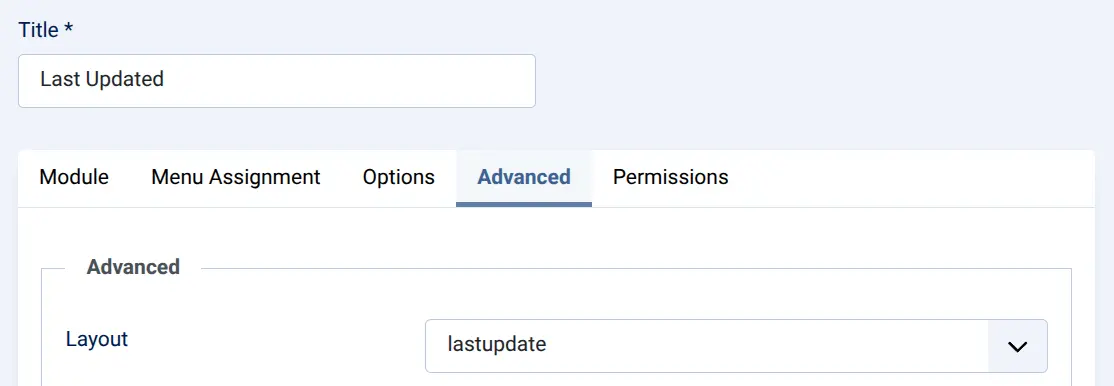
The module will only appear when there are published articles. No published content = no output = the module disappears automatically. No extra configuration needed.
Language String
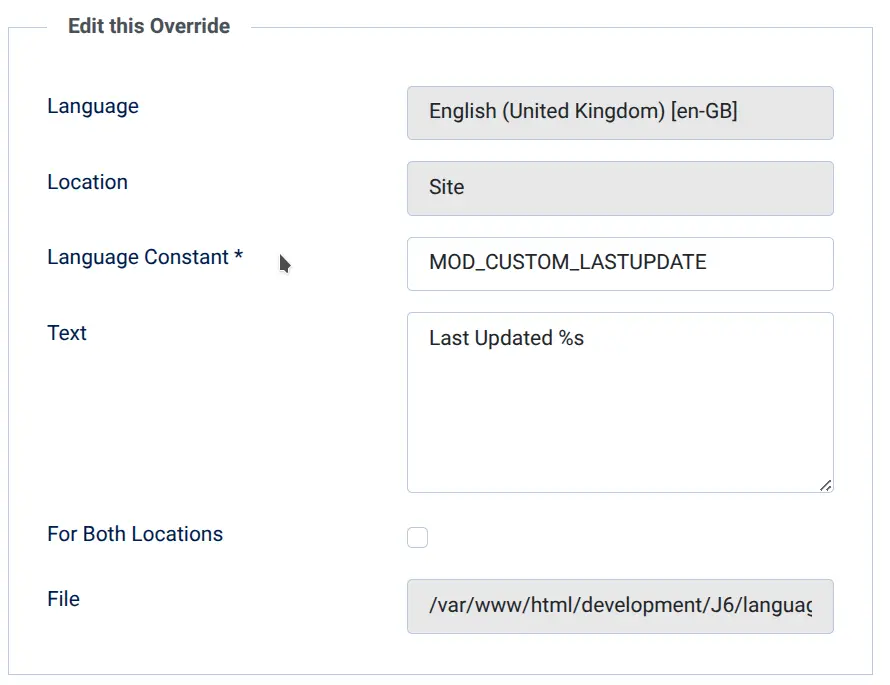
Add this to your template’s language file, or as a language manager override:
MOD_CUSTOM_LASTUPDATED="%s"
You can customize it however you like — for example: Last updated: %s or Site refreshed on %s.